Google Play Games登录
前置条件
- Android
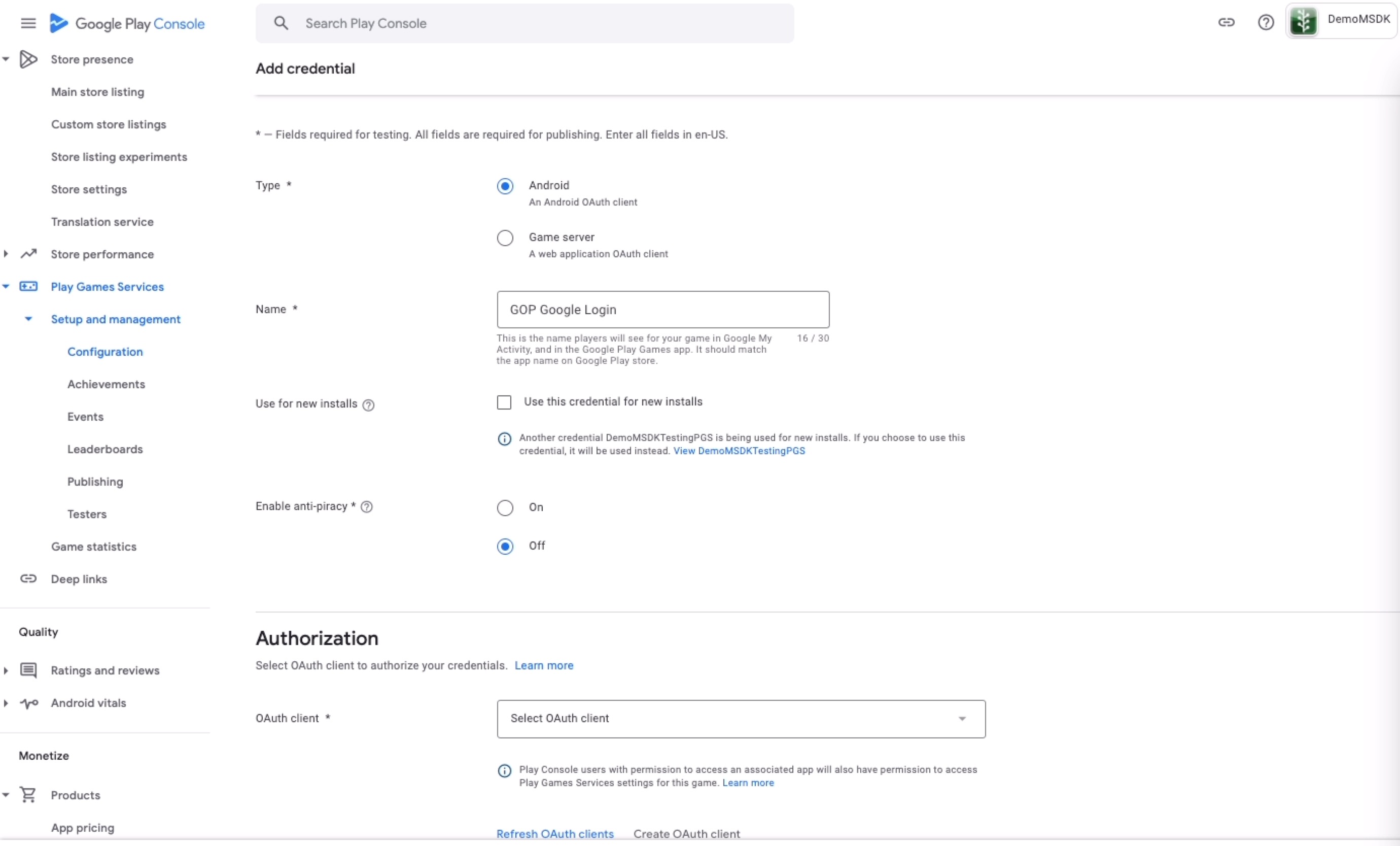
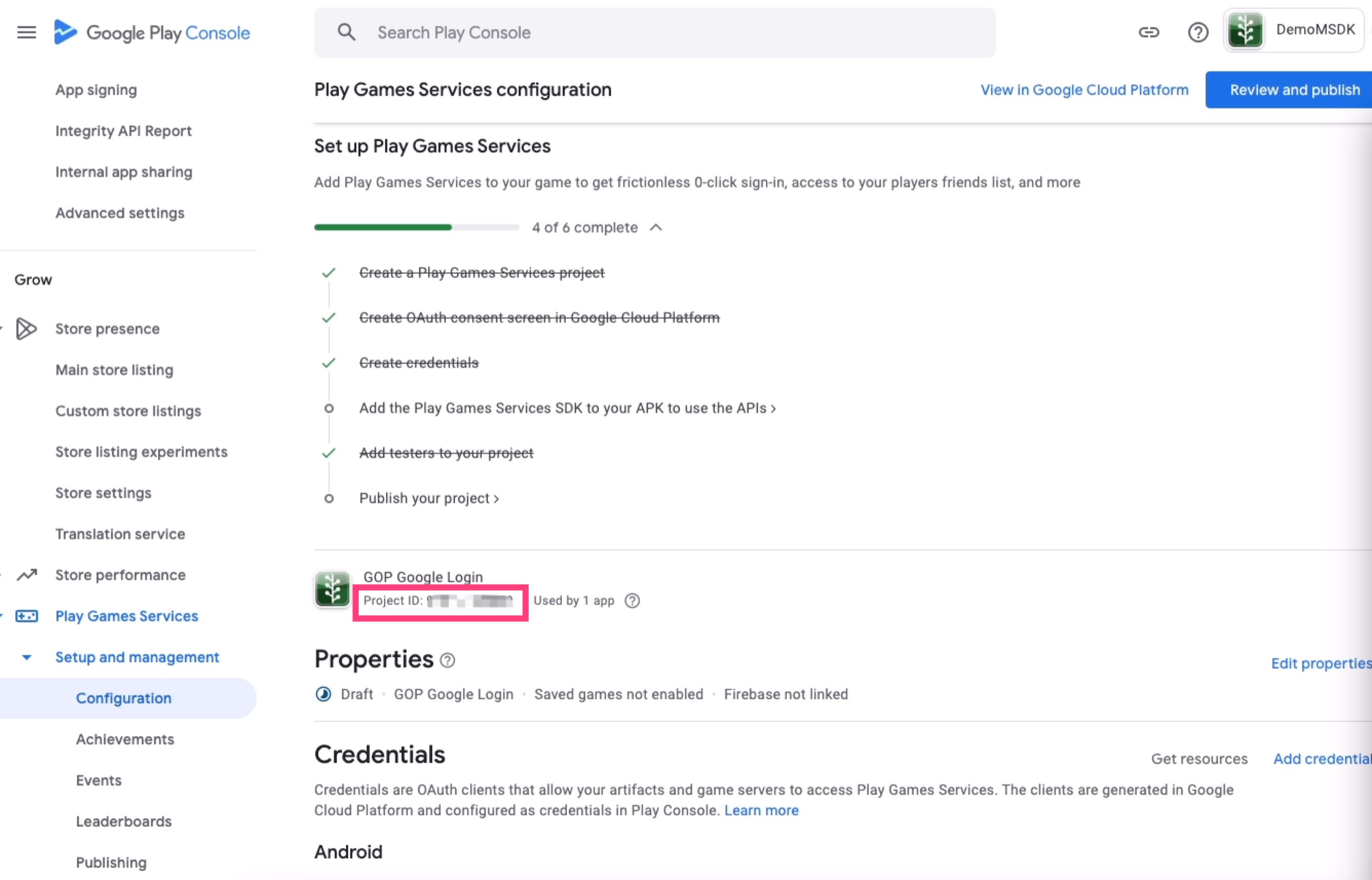
添加依赖
- Android
在应用级别的 build.gradle 中添加以下代码,并将 $msdk_version 替换为实际的 MSDK 版本。
dependencies {
    implementation "com.garena.sdk.android:login-pgs:$msdk_version"
}
配置
- Android
- Unity
- Unreal
配置 AndroidManifest.xml
<?xml version="1.0" encoding="utf-8"?>
<manifest xmlns:android="http://schemas.android.com/apk/res/android">

    ...

    <application ...>

        <meta-data
            android:name="com.google.android.gms.games.APP_ID"
            android:value="[google_play_games_app_id]" />

        <meta-data
            android:name="com.garena.sdk.gms.games.OAUTH_CLIENT_ID"
            android:value="[google_play_games_oauth_client_id]" />

            ....
    </application>

</manifest>
在 Window -> GMSDK Settings 中配置 google_play_games_app_id、google_play_games_oauth_client_id
在 Edit -> Project Settings -> Plugins -> Garena MSDK 中配置 PlayGamesAppId、PlayGamesOauthClientIdAndroid
使用方法
- Android
- Unity
- Unreal
AccountManager accountManager = new AccountManager(activity);
accountManager.login(PlatformType.GOOGLE_PLAY_GAMES, onLoginListener);
GMSDKHandler.LoginClient.Login(AccountPlatform.GooglePlayGames, OnLoginCallback);
UMsdkLogin::Login(Google_Play_Games);
Google Play Games Recall
前置条件
- 在 Google Console 中设置 Google Play Games 测试账号。
- 如果你已经引入了 Google Play Games 依赖,需要将该依赖移除。
- Android
// remove this line
implementation "com.google.android.gms:play-services-games-v2:17.0.0"
使用方法
在登录成功(包括自动登录成功)后,应调用 saveToken,以保证 Google Play Games 的 token 是最新的。
- Android
- Unity
- Unreal
PlayGamesRecallManager recallManager = new PlayGamesRecallManager(activity);
recallManager.saveToken(result -> {...});
GMSDKHandler.LoginClient.SavePlayGamesToken(ret =>
{
   ...
});
MsdkCallbacks = NewObject<UMsdkCallbacks>(this, UMsdkCallbacks::StaticClass());
MsdkCallbacks->OnSavePlayGamesToken.AddDynamic(this, &UTestLoginWidget::OnSavePlayGamesToken);

UMsdkLogin::SavePlayGamesToken();
异步检查 Google Play Games 的登录状态。
- Android
- Unity
- Unreal
recallManager.checkSignInState(result -> {
    ...
});
GMSDKHandler.LoginClient.CheckPlayGamesSignInState(result =>
{
    ...
});
MsdkCallbacks = NewObject<UMsdkCallbacks>(this, UMsdkCallbacks::StaticClass());
MsdkCallbacks->OnCheckPlayGamesSignInState.AddDynamic(this, &UTestLoginWidget::OnCheckPlayGamesSignInState);

UMsdkLogin::CheckPlayGamesSignInState();
回溯 token 并恢复登录。
- Android
- Unity
- Unreal
recallManager.retrieveToken(result -> {
            if (result.isSuccess()) {
                // Currently server only returns the last RecallToken.
                // But in the future we may return multiple tokens, that's why here's a list
                List<RecallToken> tokens = result.unwrap();
                if (!tokens.isEmpty()) {
                    RecallToken recallToken = tokens.get(0);
                    recallManager.restoreLogin(recallToken, callback);
                }
            }
});
GMSDKHandler.LoginClient.RecallPlayGamesLogin(result =>
{
    if (result.resultCode == ErrorCode.Success)
    {
        ...
    }
    else
    {
        ...
    }
});
MsdkCallbacks = NewObject<UMsdkCallbacks>(this, UMsdkCallbacks::StaticClass());
MsdkCallbacks->OnRecallPlayGamesLogin.AddDynamic(this, &UTestLoginWidget::OnRecallPlayGamesLogin);

UMsdkLogin::RecallPlayGamesLogin();