聚合登录UI
概览
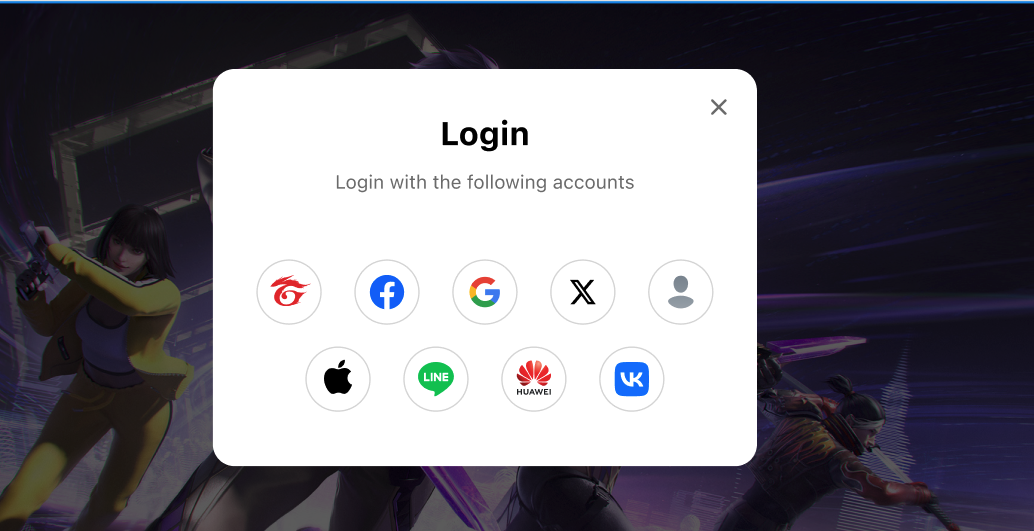
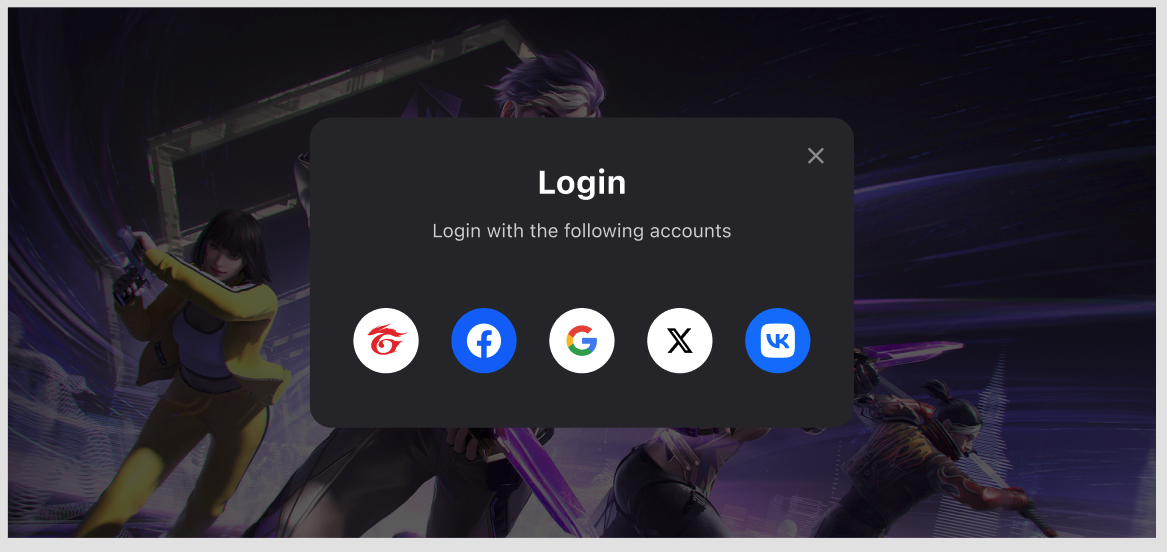
该功能提供一个开箱即用的登录UI,会展示在 SGS App Data Center 中为你的游戏应用配置的支持登录平台。
UI同时支持浅色模式和深色模式。
添加依赖
- Android
- iOS
- Unity
- Unreal
在应用级别的 build.gradle 中添加以下代码,并将 $msdk_version 替换为实际的 MSDK 版本。
dependencies {
  implementation "com.garena.sdk.android:login-ui:$msdk_version"
  // implementation other login platform modules
}
使用方法
展示聚合登录UI
- Android
- iOS
- Unity
- Unreal
AggregatedLoginManager aggregatedLoginManager = new AggregatedLoginManager(activity);
aggregatedLoginManager.setOnLoginListener(/*listener instance*/this);
aggregatedLoginManager.showDialog(ThemeType.Light, new AggregatedLoginParams(
    List.of(
        new GarenaLoginParams(...), // // You can pass in the platform-specific login parameters here.
    ),
));
MSDKAggregatedLoginParams *params = [[MSDKAggregatedLoginParams alloc] initWithParams:loginParams platformPriorityList:buttonPriorityList];
[MSDKLoginUIManager.shared showDialogWithThemeType:themeType params:params completion:^(MSDKLoginRet * _Nonnull ret) {
    completion(ret);
}];
var param = new AggregatedLoginParams
{
    loginParamsList = loginParamsList,
    platformPriorityList = platformsList
};
GMSDKHandler.LoginClient.ShowLoginDialog(param, OnLoginCallback, null, (ThemeType)theme);
FAggregatedLoginParams LoginParams = FAggregatedLoginParams();
UMsdkLogin::ShowLoginDialog(ThemeType, LoginParams);
自定义按钮顺序
- Android
- iOS
- Unity
- Unreal
aggregatedLoginManager.showDialog(ThemeType.Light, new AggregatedLoginParams(
    List.of(
        new GarenaLoginParams(...), // // You can pass in the platform-specific login parameters here.
    ),
    List.of(
        LoginPlatform.GOOGLE, LoginPlatform.FACEBOOK, LoginPlatform.GUEST
    )
));
@objcMembers
public class MSDKAggregatedLoginParams: NSObject {

    /// Array of MSDKLoginParam used to configure each platform.
    /// For example: pageTitle for MSDKGarenaLoginParam, permissions for MSDKFacebookLoginParam.
    public let params: [MSDKLoginParam]

    /// Custom order of platform buttons using platform enum values.
    /// The UI will prioritize this list if the platforms are available.
    /// Leave empty to use the default ascending order.
    /// For example: [3, 1, 8] will show platform 3 (Facebook) in the top-left, followed by 1 (Garena) and 8 (Twitter).
    /// Remaining platforms will appear in ascending order.
    public let platformPriorityList: [UInt]

    public init(params: [MSDKLoginParam], platformPriorityList: [UInt]) {
        self.params = params
        self.platformPriorityList = platformPriorityList
    }
}
通过获取可用平台列表来自定义你自己的登录UI
- Android
- iOS
- Unity
- Unreal
AccountManager accountManager = new AccountManager(activity);
accountManager.getAvailableLoginPlatforms(result->{
        if(result.isSuccess()) {
            List<Integer> platforms = result.unwrap();
            // render your login UI
        } else {
            MSDKError error = result.getErrorInfo();
            // request failed, maybe you should ask the user to try again?
        }
    });
[MSDKLoginManager.shared getAvailableLoginPlatformsWithCompletion:^(NSArray<NSNumber *> * _Nonnull platformList, NSError * _Nullable error) {
      completion(platformList, error);
}];
GMSDKHandler.LoginClient.GetAvailableLoginPlatforms(result =>
{
    LogScene.LogResult(result);
});
UMsdkLogin::GetAvailableLoginPlatforms();